Small and Medium Business Enterprises (SMBs) often find themselves within the numerous choices offered in the hyperactive and fast-evolving construction management process. Choosing the right construction management software can make the difference between chaos and control.
An account also has to be taken for the real choice of switching systems that also involve departing from the usual pen-and-paper approaches that still hang on within the construction management returns.
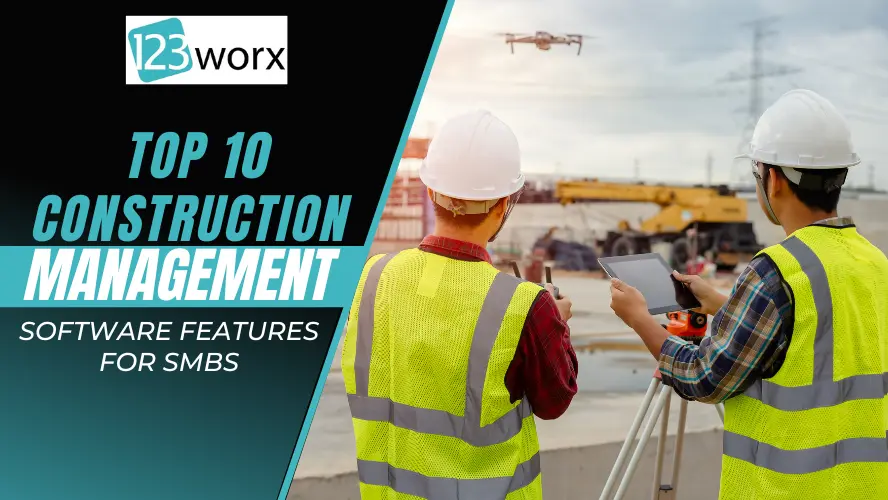
This article explores the top 10 construction management software features that help SMBs manage projects efficiently, improve communication, and maintain profitability.
While this list wasn’t necessarily exhaustive, these features still amount to core fundamentals behind the best Construction Project Management Software. However, they tend to become borderline indispensable after a while for the growing business in need.
What Is Construction Management Software?
Construction management software is an integrated tool that helps construction professionals organize, synchronize, and control different parts of a construction task. This software can simplify the task process, enhance efficiency, reduce mistakes, and hold-ups. It aids in team collaboration in real-time. This includes team members, the general contractor, the project manager, and clients, ensuring everyone is working towards the same aim. In short, this software is precious for people in construction wanting to refine their task processes and achieve successful projects.
Construction project management software provides numerous helpful facets to the construction industry and project managers.
- Increased Efficiency: By using the software for tasks like organizing projects, budgeting, and communication, construction firms can save time and decrease mistakes. This can result in faster project completion and cuts in project costs.
- Improved collaboration: Most software platforms have features that let team members, subcontractors, and clients work together in real-time. This assures everyone is updated and can obtain critical project info when they want it.
- Improve project transparency and accountability: The software creates a vivid record of project tasks by monitoring project progress, overseeing budgets, and recording changes. This can be useful for disputes or claims, as all pertinent details are readily available.
Overall, investing in construction project management software can lead to fluid project management operations, enhanced communication, and, ultimately, more successful construction projects.
Why SMBs Need Construction Software in 2025
Digital tools aren’t a luxury anymore; they’re essential for scaling operations. Industry data shows SMB builders using construction project management software cut administrative time by up to 20% and improve on-time delivery by 30%. You should follow the construction technology trends 2025 to stay ahead in the competition.
Top 10 Construction Management Software Features
These are the top 10 construction management software features every SMB should prioritize in 2025: Document Management, Estimating, Change Orders, Purchase Orders, Invoicing, Scheduling, CRM, Contact Management, Time Sheets, and Job Costing. Integrated tools like 123worx help contractors streamline operations, prevent overruns, and boost profitability.
Here are the top ten key Construction Management Software features:
- Document Management System
- Estimation
- Change Order Management
- Purchase Order Management
- Invoicing
- Scheduling
- CRM or Sales Management
- Contact Management
- Time Sheet Management
- Accounting and Job Costing
Let’s Explore The Value & Use of All These Features:
1. Document Management System
- Versatility: It can handle versatile businesses with handling systems not just to make space for all kinds of documents but also to manage photos and videos smoothly, thus every bit of content within the projects at your fingertips and highly organized.
- Custom Access Control: Proper custom access should be applied for each proprietor. Less access should be empowered according to the roles in the team, ensuring proper confidentiality and control of sensitive documents for the life of the construction projects/holding.
- Real-Time Collaboration Among themselves: The system allows the team members to carry out their real-time collaboration within documents, through which they can establish effective communication among the workers that, in turn, encourages creativity and innovativeness.
- Mobile Device Access: Working in active construction setups, team members are in and out of the office while on a working day. This calls for their documents to be accessed on the mobile structures as they move about. Promotes agility and quick decisions even outside office areas.
- Management Feature: Used to advanced document management features, including versioning, audit trails, and automatic archiving, which helps to set up construction projects in an organized and ordered way.
2. Estimation
- Budgeting: The construction software maintains complete checks of different factors involved, including the cost of the material, labor, and equipment in a converging form, for the envisioned budgets of the construction projects, which helps to see a better picture overall for project financials. This way, a tactical financial plan is put forth, and resource allocation is done accordingly.
- Customized Proposals: Properly developed proposals based on client criteria and with added customization features are the most esteemed. It may include catering according to the client’s format, providing breakdowns, and other specifics required by the client.
- Template Creation: Saves the user’s time, for by creating and using estimate templates, the process of estimate development becomes repeatable, thus giving the chance for repetitiveness and consistency between more than one project with the same scope, for example, semi-custom and spec-based for construction. Saves time; hence, the user can easily go back to the client’s prompt in case of any inquiry.
- Cost Databases: Details concerning the used material and labor items in a well-organized cost database are given. This will ensure that the company is put in a position where it can prepare the most accurate and quick estimates using a top construction estimating software. The database is regularly updated so that estimates are perfectly in line with the market.
3. Change Order Management
- Complete Tracking: Every change, along with its cost, is tracked, thus keeping the project transparent and accountable. One might fairly say that this allowed the project manager to track the changes and what the changes mean with regard to the construction project scope better.
- Workflow and Approval: Since there are built-in structured change order workflows, along with clear approval processes, it simply means that changes are documented and approved per client, saving time as it does so. It would therefore avoid spending time in a cycle of approval & resource management with misunderstandings that may arise.
- Reporting: It generates change order reports for each project and facilitates project analysis and decision-making. This acts as a source of valuable information whereby stakeholders are on the same page concerning the change required to be implemented.
- Invoicing: The project management software must provide for the easy creation of change order invoices to aid in reducing the financial project changes. Automated invoicing will guarantee changes are catered to in the least possible time.
4. Purchase Order Management
- Elaborate Tracking: Apart from the tracking facility for the changes accompanied by the costs that relate to the purchase orders, the project management software must provide tracking for the shipment, along with the overall process. This will also involve tracking deliveries, supplier performances, and whether the procurement policy is being followed or not.
- Approval Workflow: It guarantees, through an approval and purchase order workflow, that whatever is purchased is within the budget and construction project objectives. Automated approvals and alerts enforce better efficiency in enforcing avoidance of unauthorized spending.
- Project Reports: It provides a consolidated purchase order report that, at a glance, will ease the review of procurement between various projects. Such reports have a positive contribution toward providing wonderful data timely in the reviews of compliance with budgets, reliability of suppliers, and general performance of the project.
- Invoice Creation: Creation of invoices is quite easy in the system when one follows the Procure to Pay workflow, as this process is characterized by functions that allow for the creation of purchase order invoices. This further aids in the invoicing process with fewer manual data errors in entry.
5. Invoicing
- Invoice Types: It should have different types of invoices categorized, like fixed-cost project invoices or Progress Invoices with Progress Billing, i.e., catered to diverse project payment structures. This flexibility accommodates diverse contract arrangements and generally contributes to boosting client satisfaction.
- Holdback Management: Close-process control guarantees effective holdback tracking and management for projects in financial considerations of project milestones. The functionality stated is part of managing cash flow and supporting a good relationship with clients in taking care of their financial resources.
6. Scheduling
- Comprehensive Schedule: In addition to the construction manager’s Work Breakdown Structure, Gantt Charts, and Calendar View, the best construction scheduling software should provide advanced project scheduling like resource allocation, task management, communication with the team, and critical path analysis. A controlled or comprehensive schedule is the lifeblood of refining and implementing a project.
- Automated Communication: It eliminates any chances of information gaps, such as the case of changing milestone achievements or schedule changes, which can automatically send an email to all stakeholders. The process has made that transparent and, in turn, reduces the chances of miscommunication.
- Schedule Templates: Provide a template for the schedule; this way, every individual staff member may create a new schedule, which brings out consistency in all the projects. In the templates, there should be an information list of all kinds of tasks, dependencies, and milestones that have to be similar in all the
- Comparison with Baseline Schedule: This compares the baseline schedule, hence indicating deviations in how well a time frame on a project is optimized. It provides efficiency and useful insights regarding project performance and proactive management.
- Critical Path Method: This is the method where both resources are properly allocated and schedules are managed accordingly for proper project implementation using Construction scheduling software. It emphasizes listing the critical activities governing the overall time of the project information duration so that their occurrence may be focused on, and such risks may be mitigated.
7. CRM or Sales Management
- Tracking of communication: Keeping track of all communication flowing out to potential clients, trade, suppliers, and contractors. This goes beyond emails to phone calls, meetings, and others.
- Client Follow-Up: Automation for reminders and follow-ups to prospects and clients. It creates in-built automation for reminders and follow-ups that turn prospects into clients, promising increased sales output through timely communication with clients. It does not let opportunities go by; every contact with the client is timely and makes great sense.
- It forecasts sales: These foresee sales businesses that enable construction project management through permitting planning and strategic decision-making with the accurate projection of estimates, proposals, and schedules. On this aspect, it incorporates future sales estimation, fostering efficient resource allocation, and further growth of the organization.
8. Contact Management
- Versatile: With regard to versatility, it implies that differing contact forms are to be managed simply right from employees, contractors, trades, suppliers, clients, and other stakeholders. With such a scenario, it is versatile and one on the lookout has been covered.
- Comprehensive Management: Comprehensive management of both individuals and companies will ensure the process of communication is streamlined. That is, the feature shall include contact profiles, project affiliations, and team communication all in a detailed history for a comprehensive view.
- Communication Tracking: Communication tracking aids in tracking total communication to produce a historical record of the communication on all contacts. This underlies the understanding features for the project’s communication by supporting the process for making certain decisions.
- Compliance Management: It supports the contractor or construction company’s process in terms of compliance through reliable, adequate, and appropriately kept insurance, certificates of safety, and all other forms of documents that may be needed. Sync notices and alerts ensure that your requirements are always up-to-date and fulfilled, and reduce project risks.
- Customized Displays: This means that, over and above the data content, even the manner of which data are displayed is customizable. This will enhance user-friendliness and enable different team members to focus on the more crucial information suited to their roles.
9. Time Sheet Management
- Information accessibility: The online-based paperless time sheets have opened up access to information through any platform, such as smartphones, tablets, and computers. Online access is extremely flexible in that it can be used for either office or field work, supporting work at construction sites and positively affecting both the verification of time and materials.
- Location Tracking: Allows the organization to track the punch-in and punch-out location by GPS. It helps the level of responsibility of the employee and ensures valuable information is at hand, which is beneficial in management. Such a feature makes the organizational process easier as it tracks workforce productivity, workflows, and payroll processing.
- Flexibility: It will offer the flexibility of both individual and team-based time entry, catering to workflow differentiation throughout the organization. This feature supports teamwork, making sure it is possible to satisfy the needs of other departments regarding diverse time-tracking methods.
- Time Sheet Reporting and Audit: Creation of the timesheet reporting and auditing of the same can be done. In turn, these facilitate the subjection of this analysis to projections regarding resource usage, project costs, and workforce efficiency and effectiveness.
10. Accounting and Job Costing
- Integrated Accounting Software: Integrated construction software with a built-in accounting software module streamlines financial processes within the construction management software. This feature ensures consistency in financial data, eliminates the need for manual data transfer, and enhances overall financial visibility. There is one drawback: it ties up the project management tool and accounting to a single vendor and does not allow the option to choose the best of each.
- Third-Party Integration: The third criterion of the software is its ability to integrate with third-party accounting software and be flexible enough to allow the company to have its best choice in accounting solutions. This is another feature that easily accommodates organizations that may have already established their accounting systems and, on top of it, supports further scalability.
- Job Costing: It provides simplified yet accurate job costing that will enhance the easy tracking of budgets required to maintain regular profitability levels and financial transparency. This feature is blended to help companies or construction professionals manage costs in construction against budgets with ease, analyze the profitability of the project, and help in making good decisions.
- Communication: Proper transmission of information from the accounting module or third-party packages avoids errors and ensures smooth operation in general financial management. This will help in the financial flow of data, minimize data redundancy for financial data entry, and ensure the report is guaranteed with a high degree of accuracy.
With these features, Construction project management software enhances efficiency and transparency for small and medium-sized business enterprises. Therefore, investing in the right software can help small businesses streamline their operations, improve communication, and optimize project management.
How to Prioritize These Construction Software Features
Not every characteristic is equivalent in value to every builder. In regard to prioritizing for SMBs, it needs to be driven according to business impact, implementation simplicity, and ROI.
Here’s a practical way to decide which modules to adopt first:
- Start With High-Impact Essentials
Start with those core qualities that influence working site effectiveness and working capital:
- Estimating & Budgeting – provides accurate price quotations and budget tracking.
- Scheduling – prevents downtime and subcontractor coordination issues.
- Job Costing – provides insight into costs related to employees, materials, and overheads.
These three modules usually offer the shortest payback periods to the SMB contractors.
- Add Customer-Facing Tools Next
After your internal business operations have been optimized, it is time to add tools that will facilitate communication and client experience. These tools include:
- CRM and Client Portals
- Change Order Management
- Digital Invoicing
These enhance professionalism and customer retention.
- Optimize for Integration and Scalability
If you have aspirations to scale, your focus should be on platforms that:
- Integration with Accounting Software such as QuickBooks or Xero
- Provide open APIs or add-ons with modules
- Cloud accessibility and mobile support
Pro Tip: Time savings and accuracy of data are the strongest ROI metrics. Any function that cuts data entry or prevents rework is a top priority.
Quick Implementation Checklist for SMB Contractors
After you have chosen your platform of choice, the next factor to consider is success. This is attained through proper setup and
To deploy your new construction management software successfully, follow this five-step checklist.
- Centralize All Data Before Migration
Gather drawings, estimates, contracts, and lists of contacts in one folder.
This is because clean data prevents errors during the data upload process.
- Choose a Pilot Project
Apply your skills to your first live project on the new system.
This ensures refinement of templates, permissions, and report structure.
- Train Every Role
Avoid skipping field-level training.
Organize short hands-on training sessions with project managers, site managers, and accounting teams to facilitate adoption.
- Customizing Templates
Create project estimate, schedule, or PO templates.
Time is saved and consistency is maintained between jobs.
- Tracking KPIs After 30 Days
Monitor:
- Hours Saved per Week
- Removal of administration tasks
- Accuracy of forecasts vs. actual data
- Field team adoption rate
Aim for results: In 4-6 weeks, your team can experience improved communication speed and budgeting accuracy.
How to Choose the Right Construction Management Software for Your SMB
Selecting the best platform means aligning software strengths with your company’s workflows, project size, and technical comfort level.
Here’s how to make an informed, future-proof decision.
- Map Your Pain Points
List the top 3–5 operational bottlenecks — e.g., delayed approvals, duplicate data, missed deadlines.
Choose a platform that directly solves those issues first.
- Test Usability and Interface
Opt for software that’s intuitive enough for both office staff and field crews.
A user-friendly dashboard can boost adoption rates by up to 25%.
- Check Integration Compatibility
Verify whether the system connects with your existing tech stack:
- Accounting: QuickBooks, Xero
- Design & BIM: AutoCAD, Revit
- Communication: Email, chat, or document-sharing tools
Smooth integrations prevent double data entry and lost information.
- Review Support and Onboarding
Quality vendor support makes or breaks adoption.
Look for 24/7 assistance, live demos, and onboarding training resources.
- Consider Long-Term ROI
Ask: Will this tool still fit when I double my project load next year?
Integrated platforms like 123worx scale easily while maintaining cost control and data transparency.
Frequently Asked Questions (FAQs)
Q1. What is the vital construction management aspect for SMBs?
Ans: Estimating, scheduling, and tracking of costs are critical to helping prevent overruns and increasing profitability.
Q2. Should small-scale contractors adopt the All-in-One or Modular business model?
Ans: All-in-one systems, such as 123worx, ensure simplified processes with no duplication of data. On the other hand,module-based tools allow one to have flexibility.
Q3. How long does it take to implement new construction software?
Ans: For vendor onboarding situations, it takes 4-8 weeks to be completely operational.
Final Thoughts
For small to medium-scale construction companies in 2025, the key to success is “efficiency.” Effective construction management software can enable teams with automation, visibility, and control.
Builders who leverage combined technology, such as 123worx, experience real-time insight to their projects, satisfaction with their customers, and profit margins, the keys for sustainable growth.

As a Vice President at 123worx, Construction Management Platform, Bharat Rudra has worked with hundreds of business executives searching for best-suited software for their construction business with a wide array of requirements. Bharat takes pride in helping construction businesses solve their business and project management challenges. Feel free to reach Bharat if you have any questions. You can find him on LinkedIn or reach him at brudra@123worx.com