


Renovation Scheduling Software Designed for Renovators, By Renovation Experts
Plan and deliver renovation projects on schedule with complete visibility.
123worx helps renovators coordinate trades, manage changes, and keep timelines aligned across site and office.
⭐ Rated 5/5 on Google
Renovation Scheduling Software Built for Renovation Specialists

A dedicated, user-friendly solution for planning, tracking, and completing renovation work on schedule with complete visibility. Manage contractors, scheduling, adjustments, or potential postponements for any renovation project with an innovative, specially designed solution for renovation specialists.
Designed for renovation-minded individuals who:
- Well-structured project scheduling plans
- Real-time updates on the site & office
- Efficient subcontractor coordination
- Automatic Timeline Adjustments.
- Integrated Task, Budget & Job Tracking
Construction Management Software for Contractors in North America.
Why Renovators Require Smarter Scheduling Software?
There are distinctive complexities inherent in renovation projects that current construction project management software does not solve. A renovation crew must address unforeseen variables such as renovation site conditions, renovation surprises, availability of materials, trade conflicts, and frequent input from the client. These variables make scheduling one of the biggest challenges in the renovation business.
Using spreadsheets, phone calls, emails, and manual schedule updates can result in the following:
- Delays caused by poor trade coordination
- Communication Go-Between Office & Field
- Missed inspection dates
- Supply Chain Disruptions
- Overlapping tasks that should never overlap
- Frustrated clients demanding answers
An effective construction scheduling software would provide renovation contractors with complete visibility, live updates, and organized workflows that ensure renovation projects stay on course, despite unexpected snags.
Built for renovators who want:
- Clear, structured project schedules
- Real-time updates across site & office
- Seamless subcontractor coordination
- Automated timeline adjustments
- Integrated task, budget & job tracking
Core Scheduling Challenges Renovators Face
1. Unpredictable Jobsite Conditions
During demolition, renovators often uncover hidden issues:
- Mold
- Structural damage
- Electrical hazards
- Plumbing issues
- Rot or water intrusion
These unexpected items immediately impact the schedule.
2. Multiple Trades Working in Tight Spaces
Renovations involve:
- Electricians
- Plumbers
- Drywallers
- Painters
- Flooring installers
- HVAC
- Cabinet installers
- Finish carpenters
Without a central schedule, trades overlap, wait around, or show up unprepared.
3. Client-Driven Changes
Renovation clients change their minds often late in the process. Change requests cause immediate schedule disruption.
4. Material Delays
Tile, cabinetry, windows, flooring, appliances — delays in any component ca
5. No Real-Time Visibility
Without centralized scheduling:
- Field teams rely on outdated information
- Office teams make assumptions
- Subcontractors work blind
- Clients remain confused
A renovation schedule needs to be live, structured, and accessible.
What Renovators Should Look for in Scheduling Software
A scheduling tool must support renovation-specific workflows — not just new construction.
Here are the must-have features:
✔ Gantt charts & calendar views
See every phase visually: demo, framing, rough-ins, inspections, finishes, final touches.
✔ Automated dependency management
If one task shifts, the entire schedule updates.
✔ Mobile updates from field teams
Ensure site teams update progress instantly.
✔ Subcontractor access & notifications
Trades see exactly when they’re needed — and get notified of changes.
✔ Change order related scheduling adjustments
Changes should automatically reflect in the timeline.
✔ Centralized task management
Assign tasks, track progress, add notes & upload photos.
✔ Integration with project management & job costing
Schedules affect budgets — and budgets affect timelines.
✔ Real-time status dashboards
Monitor bottlenecks, upcoming tasks, and slowdowns.
✔ Site-driven delay reporting
Field personnel can flag issues that trigger schedule updates.
✔ Cloud access
Work from jobsite, office, or client home.
These capabilities allow renovators to handle unpredictability with confidence and transparency.
Ready to Simplify Renovation Scheduling?
Stop juggling spreadsheets and manual updates. See how a renovation-focused scheduling platform keeps every project on track.
How 123worx Supports Renovation Scheduling Workflows
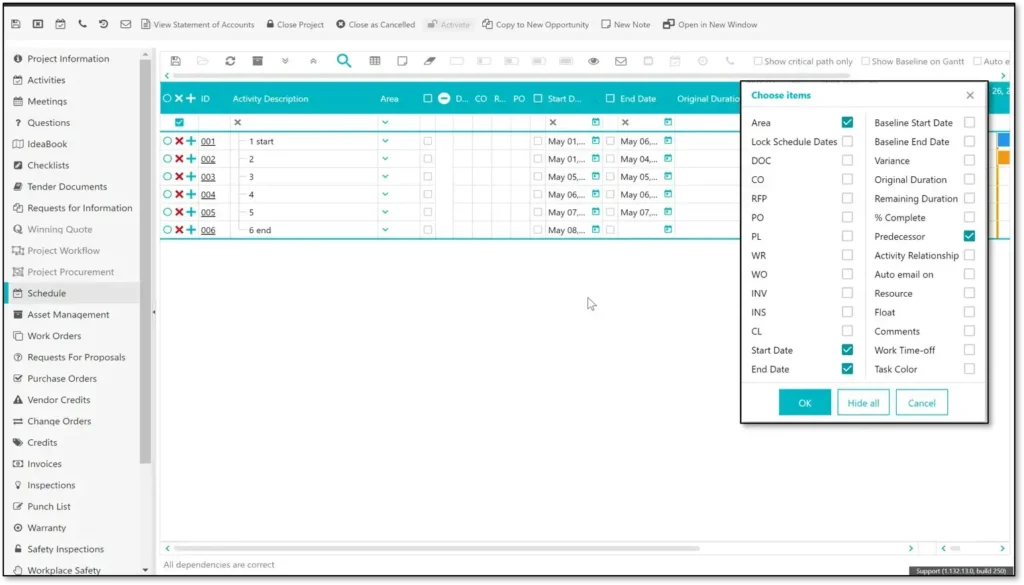
123worx scheduling tool streamlines the complex, fast-changing nature of renovation projects with tools built specifically to manage overlapping trades, unexpected issues, and detailed finishing phases.
1. Build Accurate, Phase-Based Schedules in Minutes
Create renovation schedules quickly using customizable templates:
- Kitchen remodels
- Bathroom renovations
- Basement finishing
- Whole home remodeling
- Exterior upgrades
- Additions
- Condo renovations
Each template includes common phases, deadlines, and trade assignments you can refine.
2. Set Task Dependencies for Automatic Adjustments
If drywall is delayed → painting, trim, cabinetry, and electrical fixtures automatically shift.
This eliminates dozens of manual edits.
3. Real-Time Field Updates
Renovators rely on field accuracy.
Field teams can:
- Mark tasks complete
- Upload photos
- Flag issues
- Report delays
- Update progress
- Add comments
Everything syncs instantly.
4.Subcontractor Scheduling & Notifications
Subcontractors get:
- Portal access
- Task lists
- Schedule updates
- Mobile notifications
- Clear deadlines
This reduces no-shows and late arrivals.
5. Material & Inspection Coordination
123worx lets renovators schedule critical dependencies such as:
- Material delivery
- Permit inspections
- Utility connections
- Specialty equipment installations
- Cabinetry & countertop measurements
When materials delay → system automatically shifts tasks.
6. Change Order Impact Tracking
When clients request changes:
- The system calculates the schedule impact
- Updates timelines accordingly
- Shows new completion dates
- Notifies your team and subs
This creates transparency and prevents disputes.
7. Visual Dashboards for Complete Visibility
Monitor:
- In-progress tasks
- Behind-schedule items
- Completed work
- Upcoming milestones
- Subcontractor performance
- Inspection deadlines
- Critical path delays
Renovators gain full insight into project health.
Key Features for Renovation Scheduling
- Renovation-Specific Templates
Pre-built schedules for kitchens, baths, basements, and full home renovations.
- Drag-and-Drop Gantt Scheduling
Adjust timelines visually with ease.
- Automatic Dependency Adjustments
One change → whole project updates.
- Subcontractor Coordination
Invite subs to view their tasks and updates.
- Mobile Task Management
Site teams manage schedules from anywhere.
- Daily Logs & Progress Photos
Keep a complete record of jobsite progress.
- Integrated Change Order Tracking
Schedule impacts are visible instantly.
- Document & Drawing Access
Plans, permits, and instructions in one place.
- Budget & Job Costing Integration
Prevent delays caused by financial bottlenecks.
- Client Updates & Milestones
Share timelines without exposing internal details.
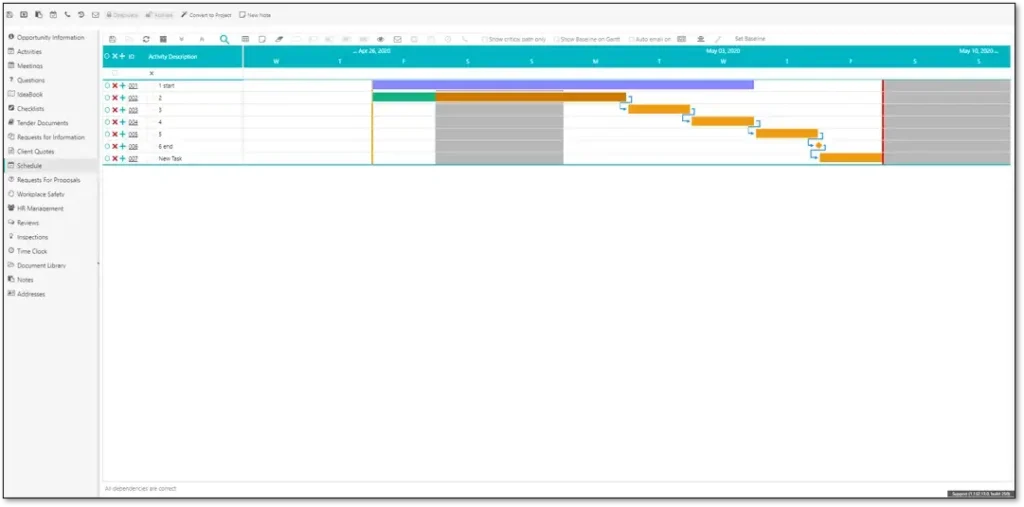
Complete Renovation Scheduling Workflow with 123worx
Step 1: Make a Project & Select a Renovation Template
Decide on a schedule template or make one from scratch.
Step 2. Add Tasks, Assign Trades & Set Deadlines
Connect tasks to subcontractors and teams.
Step 3: Set Dependencies
Tasks must be arranged in the right order.
Step 4: Share Schedule with Subs & Team
Everyone is viewing the latest one.
Step 5. Field Teams: Progress is Updated Daily
Real-time visibility into onsite activities.
Step 6: Tracking Delays & Notifications
It notifies you of tasks that get derailed.
Step 7: Adjust for Change Orders
Timeline automatically recalculates
Step 8. Monitoring Timeline Health through Dashboards
Identify bottlenecks before they become issues.
Step 9. Close Out Project with Punch Lists
Conduct final inspections quickly through clean task tracking.
Don’t Let Delays Derail Your Next Project
Get a live look at how 123worx helps renovators manage trades, timelines, and changes in one connected system.
Benefits of Using Scheduling Software for Renovators
✔ Deliver Renovation Projects On Time
Fewer delays. Fewer surprises.
✔ Improve Subcontractor Coordination
Trades always know when to show up.
✔ Reduce Client Stress with Clear Communication
Share timelines and milestones easily.
✔ Increase Profitability
Better scheduling → fewer wasted labor hours.
✔ Handle Change Orders Smoothly
Automated adjustments avoid confusion.
✔ Reduce Rework & Miscommunication
Live updates ensure everyone follows the same plan.
✔ Scale With Confidence
Manage more renovation projects simultaneously.
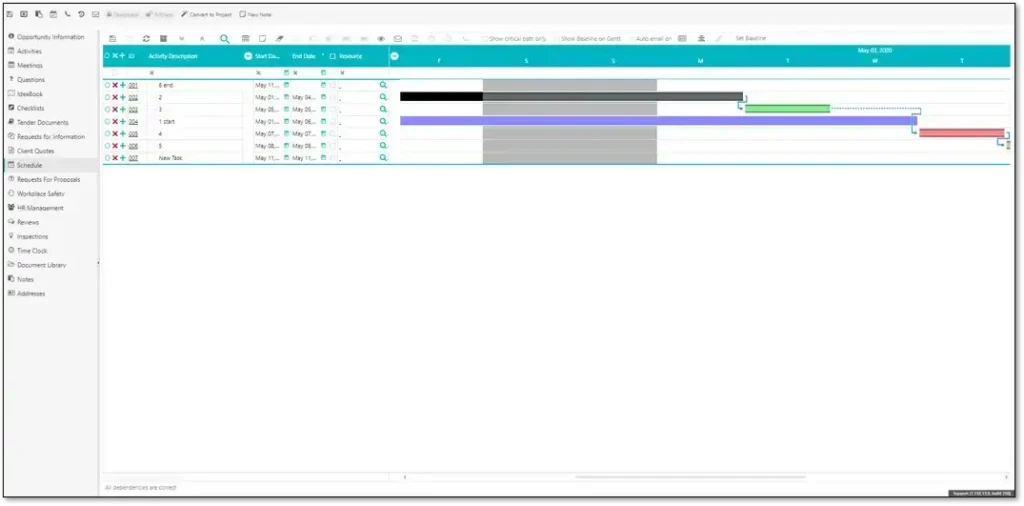
Scheduling Software vs Spreadsheets for Renovators
| Feature | Spreadsheets | Scheduling Software |
| Real-time updates | No | Yes |
| Subcontractor access | No | Yes |
| Task dependencies | Manual | Automatic |
| Delay alerts | No | Built-in |
| Mobile access | Limited | Full |
| Change order adjustments | Manual | Automated |
| Dashboards | None | Full visibility |
| Integration with PM & costing | No | Yes |
Digital scheduling isn’t a luxury, it’s a competitive advantage for renovators.
Who This Renovation Scheduling Software is Built For
This solution is ideal for:
- Kitchen & bath remodelers
- Basement renovation companies
- Whole-home renovation contractors
- Exterior remodelers
- Condo renovation specialists
- Design-build renovation firms
- Small to mid-sized renovation companies
Any renovator managing multiple trades, phases, and dependencies gains tremendous value.
FAQs — Scheduling Software for Renovators
Q: Does this software support kitchen & bathroom remodeling?
Yes, templates exist for all common renovation types.
Q: Can subcontractors access the schedule?
Yes — with controlled permissions.
Q: Can schedules adjust automatically if delays occur?
Yes, linked dependencies update instantly.
Q: Do clients have access to the timeline?
You can share selected milestones without exposing internal details.
Q: Is there mobile access for onsite workers?
Yes, field teams can update status, photos, and notes via mobile.
123worx Construction Scheduling Software Featured For:
Scheduling Software For General Contractors
Scheduling Software For Home Builders