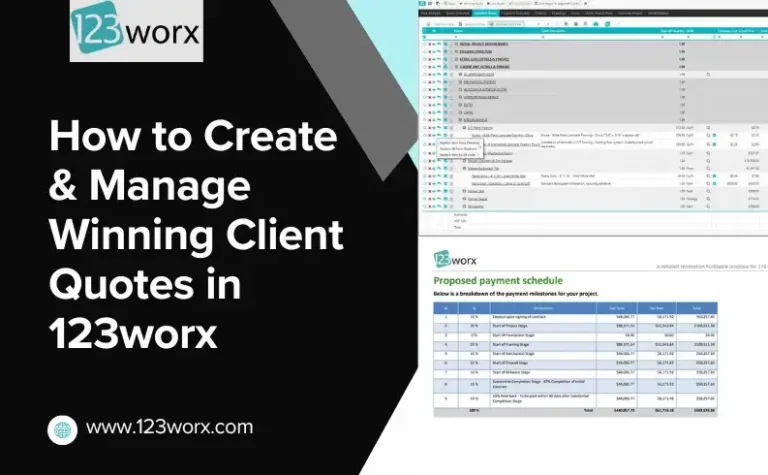
Quick Answer: Connecting Excel Estimating with Construction Software
Builders can connect Excel-based estimating with construction project management software by importing or syncing estimate data into a centralized system. This allows estimates to automatically convert into projects, enabling task creation, scheduling, cost tracking, and real-time collaboration without manual re-entry.
Many builders rely on Microsoft Excel for estimating – and for good reason. It’s flexible, customizable, and familiar.
But the challenge begins after the estimate is approved. Turning that estimate into a project often requires manual data entry, disconnected tools, and multiple steps.
By connecting Excel with construction project management software, builders can turn estimates into structured projects without duplicating work.
Most builders use software such as 123worx to facilitate their construction project workflows and enable smooth collaboration among team members.
Using Excel for construction estimating and then transferring the estimates to a system that transforms them into projects, this hybrid solution proves itself useful for all participants of the construction process.
The Problem with Excel Estimates: What Issues Arise While Working with Spreadsheets?
Excel has been relied upon for estimating by contractors and builders for decades. It works. You can create complex costs down to every piece, advanced formulas to handle complex calculations, and customize templates to fit your needs perfectly.
But what happens when your projects become more complicated, and you have multiple people involved in the estimating process? Excel starts to fall short and becomes difficult to use – not because Excel is inadequate, but because Excel was never meant to track an entire construction workflow.
Common challenges include:
- Absence of real-time updates for estimates among different teams and departments
- Existence of multiple versions of the same estimate
- Difficulty connecting estimates with actual project execution
- Sending estimates through email or any other transfer channel manually
Even experienced teams can face errors when estimates are manually transferred between systems.
Real-World Scenario: Where Errors Start
Imagine the following construction workflow:
You create a comprehensive estimate for a kitchen renovation project using Excel spreadsheets. When you get the client’s approval, the next step is to convert this estimate into a project plan.
At this stage, several issues can arise:
- Manually re-enter data into another system
- Create tasks and schedules from scratch
- Track actual costs separately during execution
These actions can cause serious problems because of the following:
- Budget overrun
- Miscalculation of materials and labor
- Misunderstanding with customers and contractors
The issue isn’t the estimate itself; it’s the disconnect between estimating and execution across construction workflows.
Why Excel Alone Is Not Enough for Modern Construction Workflows
As you have seen from previous examples, using Excel spreadsheets alone is not sufficient for managing complex construction projects. Although you can easily calculate various aspects of a project, the problem is the absence of a workflow connection that is necessary for executing the project in reality.
Here are some aspects that you cannot implement when using Excel:
No connection with workflow
Your Excel estimate doesn’t automatically convert to:
- Project schedules
- Assign tasks
- Plan resources
You have to recreate everything manually.
No live job costing
After a project begins, it’s nearly impossible to track actual costs against your estimate. You could manually update spreadsheets, but you won’t have visibility into how your project is performing day to day.
No team visibility
Field teams, office personnel, and stakeholders may not have visibility into the latest version of the estimate. This creates confusion and misalignment.
No single source of truth
Files get sent around in attachments. They live on desktops and emails. There can be multiple versions of the same file.
Common Problems with Excel-Based Construction Estimating
When Excel is used without integration, it creates gaps between estimating and execution that impact efficiency, accuracy, and project visibility.
The Smarter Approach: A Hybrid Workflow
The smarter way to deal with construction estimating is to develop a hybrid approach combining Excel and modern construction software platforms like 123worx. Thus, you won’t have to abandon your estimating technique, but at the same time, the data you obtain can be applied further in the process of completing the project.
The main advantage of such a hybrid approach is the possibility of combining two processes without additional efforts. Now, your workflow looks as follows:
Excel Estimate → Connected System → Project Execution → Cost Tracking
Thus, you obtain a complete connected construction workflow that is much easier to complete compared to traditional construction workflows.
Step-by-Step Guide: How the Hybrid Workflow Works
Now you should understand why it is important to integrate your construction estimating into a platform for further use.
Here are the steps to implement this hybrid workflow:
Step 1: You continue using Microsoft Excel to estimate various parameters of the upcoming project.
Step 2: Now it’s time to transfer the data to other systems for turning estimates into action. There are several ways of doing it: importing estimates, syncing data, using specialized applications, and other solutions.
Step 3: After the estimate is entered into the system, it becomes the foundation for a new project. You can link line items to budgets, cost codes, and phases.
Project Management Software like 123worx allows you to convert estimates to projects without re-keying data, saving you time and reducing errors.
Step 4: After creating the project, you can now:
- Assign responsibility
- Schedule when the work will be performed
- Allocate resources
All from the estimate.
Step 5: The last step is to track the cost and compare it with the initial estimates using connected financial tracking systems.
As you see, now you need to go through fewer actions to implement construction projects.
The Main Advantage You Will Obtain from Transition
One of the main concerns of many builders is the question of whether they will lose the ability to use Excel while making estimates. If you think you will not be able to use Excel anymore, this is a misconception.
Excel remains valuable for many aspects of your workflow. For:
- Custom estimating templates
- Detailed cost breakdowns
- Initial project planning
You will continue to use it, but instead of using this tool independently, Excel will become only a starting point for your construction workflow. All other tasks will be implemented with the help of other solutions; thus, you will simplify the entire process of implementation. This makes it much more feasible for businesses that have been reliant on spreadsheets for years to move to new systems.
Benefits of Connecting Excel with Construction Software
By integrating Excel with construction project management systems, builders can significantly improve efficiency, accuracy, and project control.
This is where platforms like 123worx come in. It’s not designed to replace Excel, but rather to fill the gap between spreadsheets and project execution.
Instead of making you change how you create estimates, it enables you to:
- Import your Excel information into a structured database
- Convert those estimates into projects
- Track tasks, schedules, and budgets in one place
Simply put, it puts a skeleton around your existing process.
Before vs After: What Changes in Practice
As you see, the transition from Excel to a hybrid solution can be described as the move from old methods to new, more advanced approaches.
Before the transition, your workflow looked as follows:
- Estimate made in Excel
- No direct workflow connection
- Difficulties with tracking costs
- Manual re-entry of data into a construction management platform
- Misunderstandings with other team members
After transition:
- More efficient construction workflow
- Connection between estimation and execution
- Possibility to track costs
- Ability to use Excel for initial calculations
Excel vs Connected Construction Workflow
| Aspect | Excel Only | Connected Workflow |
| Estimating | Flexible | Flexible + structured |
| Data Entry | Repetitive | Single entry |
| Collaboration | Limited | Real-time |
| Cost Tracking | Manual | Automated |
| Project Visibility | Low | High |
| Error Risk | Higher | Reduced |
Key Benefits for Builders
By making this important step, you can benefit greatly, and here are the reasons why:
- Reduce data entry mistakes – You won’t need to enter information twice. This means less chance for error.
- Save time – You won’t be duplicating work. This means you can focus more time on other areas of the process.
- Better cost control: You will be able to monitor costs and make relevant decisions based on actual statistics
- Improved collaboration: You will ensure that each member of your team knows the current project parameters
- Easier scaling of business: Even as your company grows, the entire workflow will be easy to manage
FAQs: Excel Estimating and Construction Workflow Integration
1: Do I have to stop using Excel after the transition?
No, you do not need to stop using Excel; on the contrary, this will be only a starting point of the workflow
2: What problems can arise during Excel usage in construction?
The main problem of using Excel is the absence of workflow connections.
3: Do I have to fully switch to construction software?
No, there is nothing wrong about making this transition.
4: What are the benefits of integration?
You can eliminate errors due to duplicate data entry
5: Can this process be beneficial for small construction companies?
Yes, small teams also benefit greatly from this process
6: How can I easily import data from Excel?
You can import Excel estimates into your construction management software
Closing Remarks
Excel is an amazing construction estimating tool. However, the use of Excel alone results in the creation of rifts between the planning and implementation stages of the project.
When your estimating process involves only Microsoft Excel, your business can experience holes that affect productivity, accuracy, and profitability.
Integration of Excel with construction project management software will enable contractors to avoid manually performing activities, make fewer mistakes, and obtain total visibility of their projects.
The aim is to enhance Excel rather than replace it with another tool.

As a Vice President at 123worx, Construction Management Platform, Bharat Rudra has worked with hundreds of business executives searching for best-suited software for their construction business with a wide array of requirements. Bharat takes pride in helping construction businesses solve their business and project management challenges. Feel free to reach Bharat if you have any questions. You can find him on LinkedIn or reach him at brudra@123worx.com